 Pano
Everything you own.
At a glance.
Stocks, funds, private pension, gold, crypto and deposits. Pano brings them onto one screen and shows how much your money has really grown.
For Windows and macOS
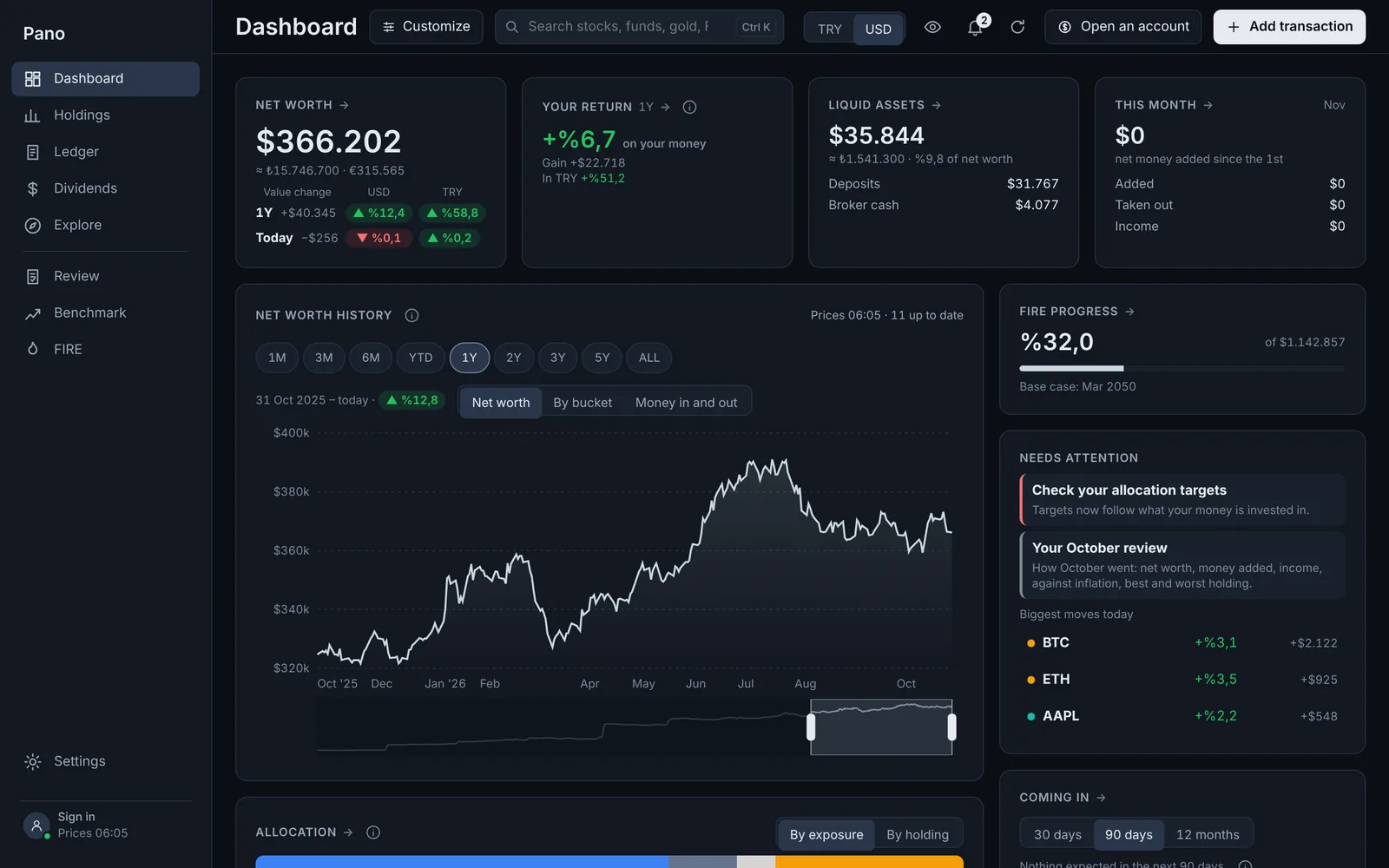
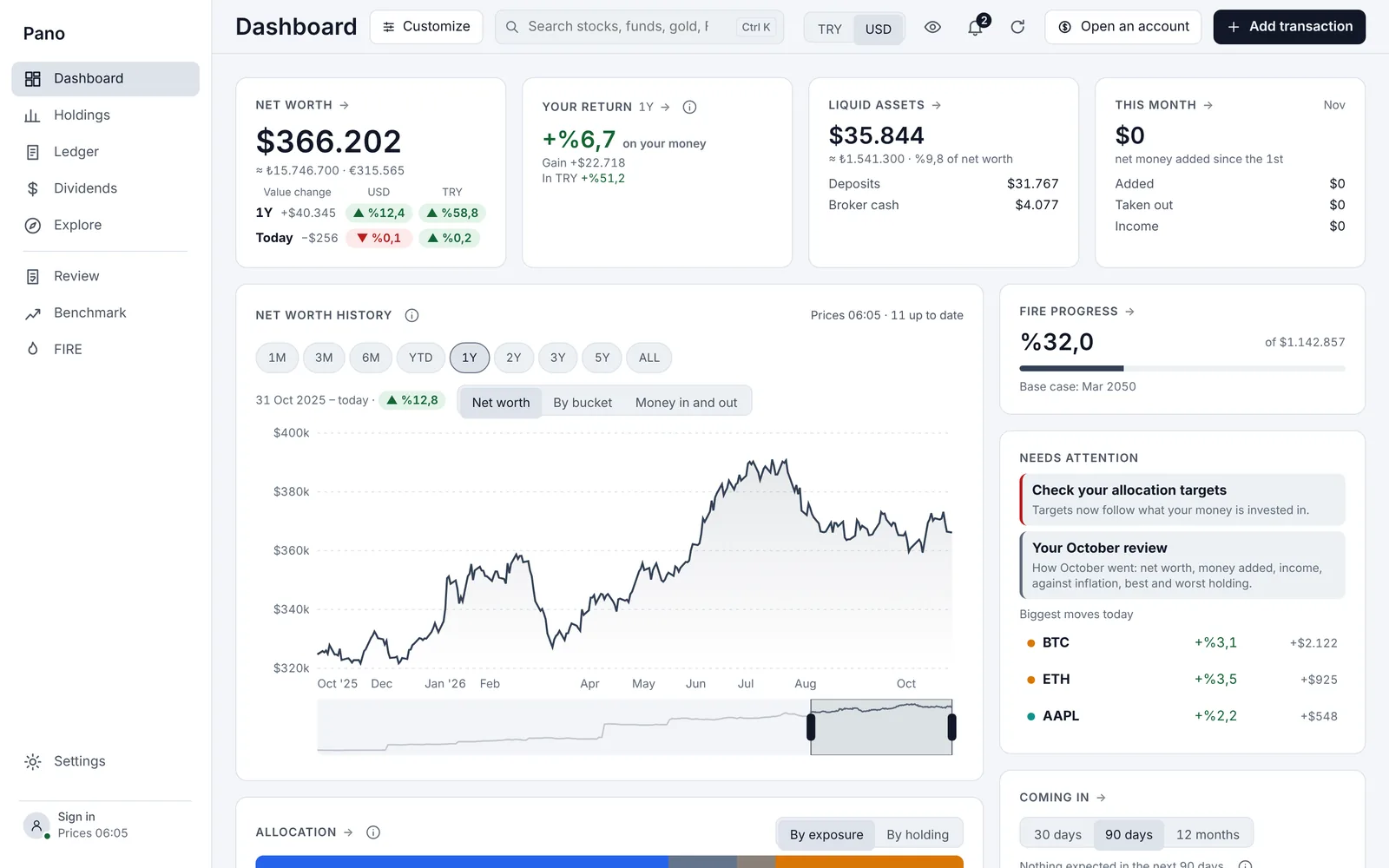
- Borsa Istanbul
- US stocks and ETFs
- TEFAS funds
- Private pension (BES)
- Crypto
- Gold and coins
- Eurobonds
- Deposits and FX
Features
See the big picture.
Keep the detail.
Leave the spreadsheets, the bank apps and the notes on the side behind.
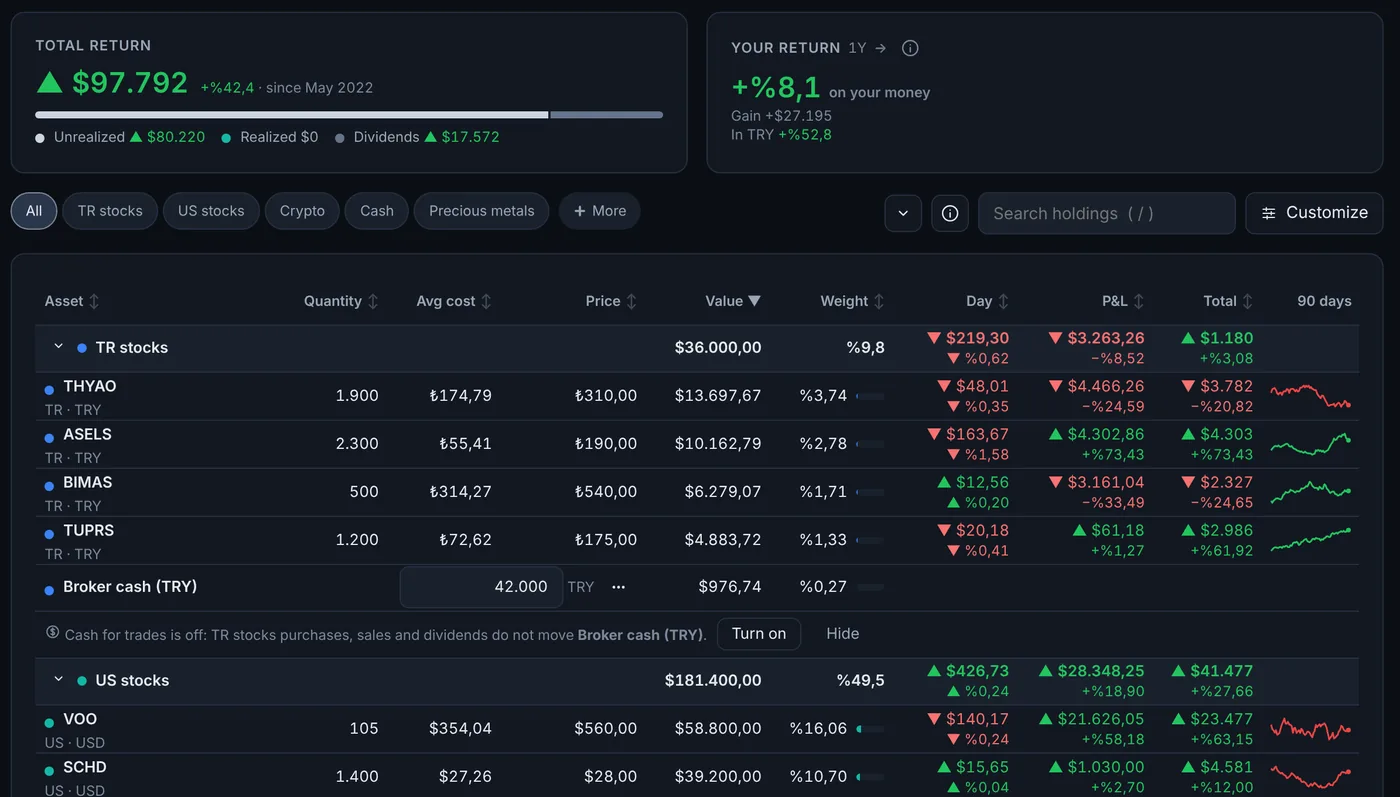
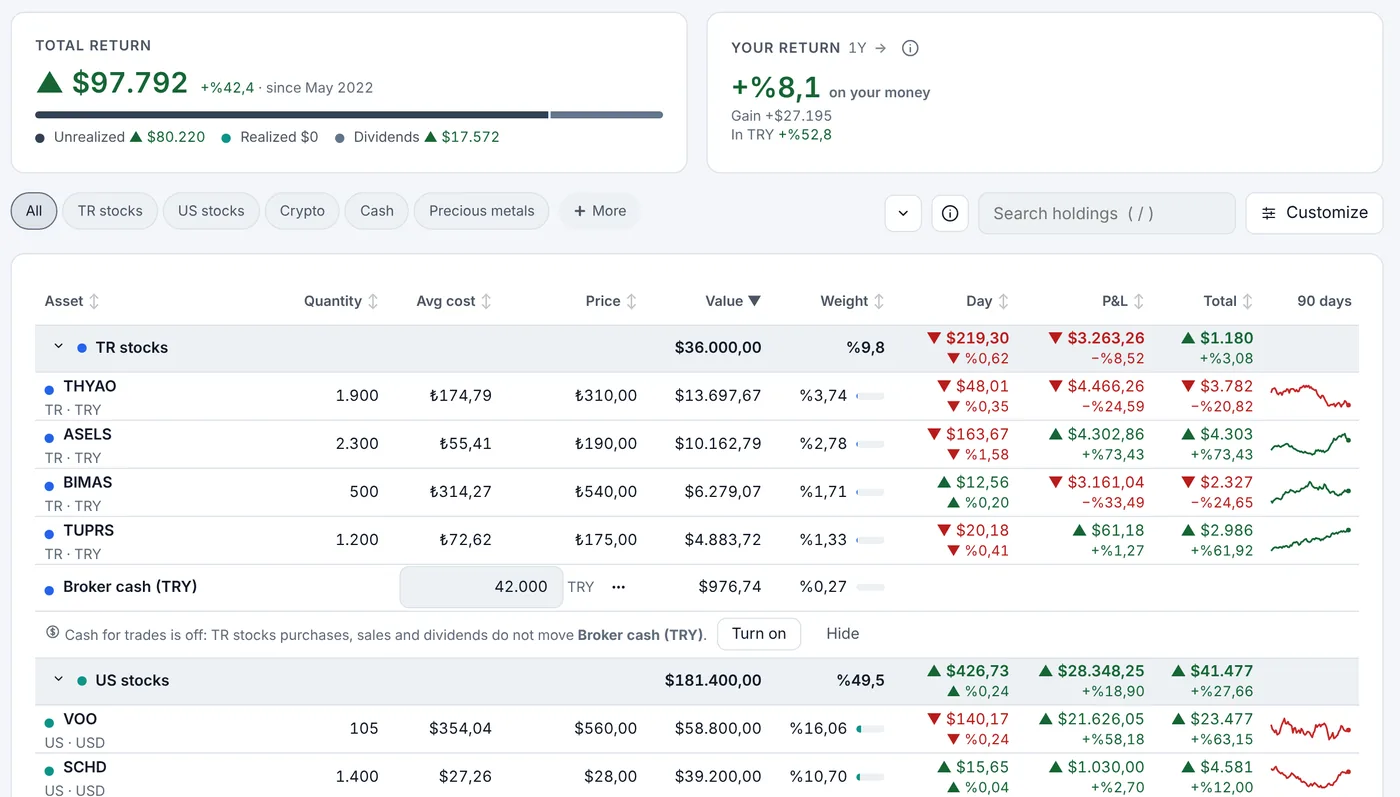
Your whole portfolio in one table.
Cost, value today, gain and loss for every holding, at a glance.
- View in lira, dollars or euros, and switch with one click
- Splits, bonus shares and dividends are counted for you
- Prices update on their own
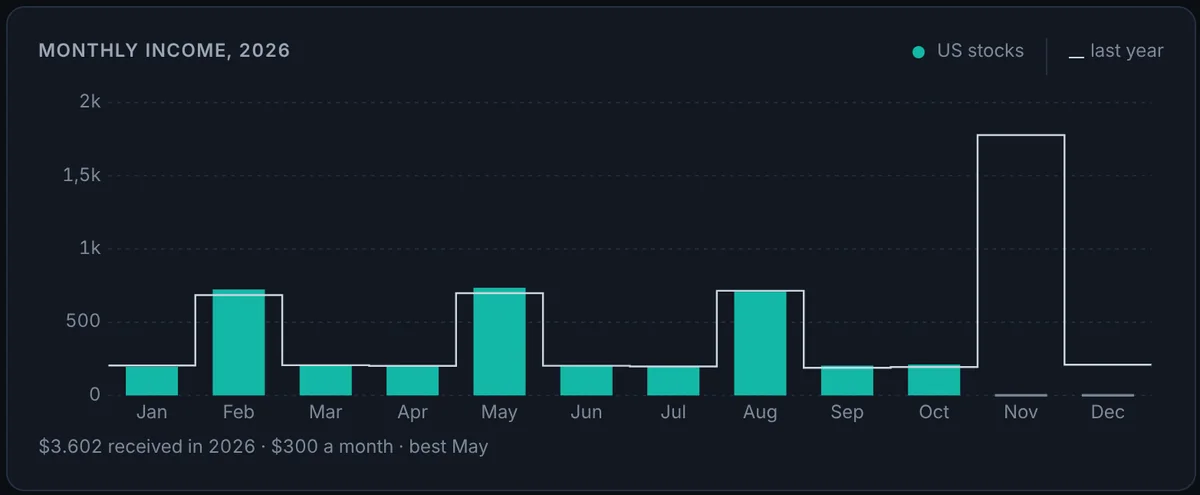
Your dividends, month by month.
See how much income came in each month, next to last year.
- Upcoming payments and a calendar
- Net and gross amounts, withholding included
- Coupons, interest and staking rewards too
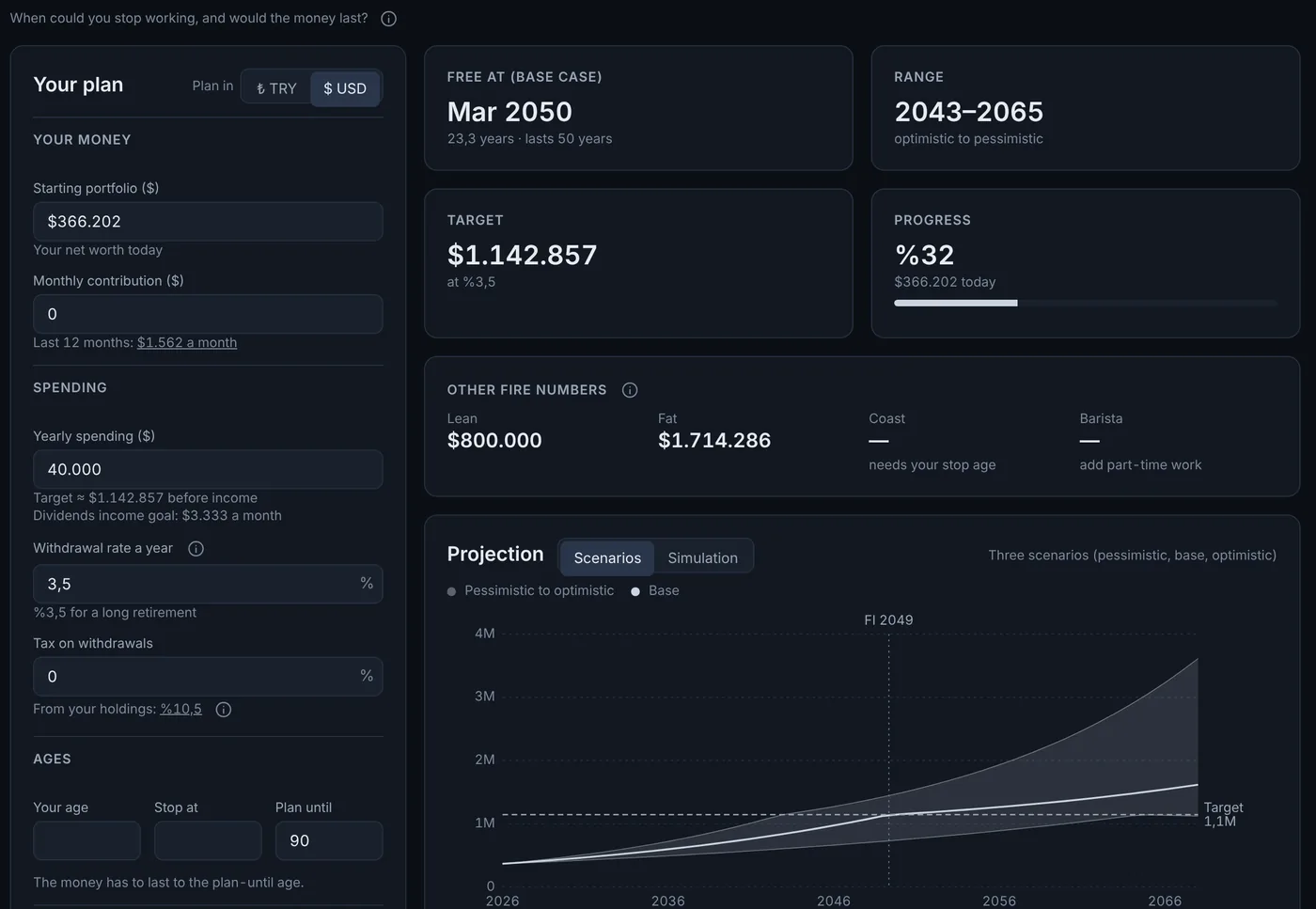
When could you stop working?
Set up a financial independence (FIRE) plan and watch how close you are.
- Optimistic, base and pessimistic cases
- A simulation shows whether your savings last to the end of the plan
- Dividend income and part-time work are counted
And there's more.
Real return.
Did you beat inflation, the dollar, gold and the BIST 100?
Monthly review.
What you added and earned this month; your best and worst investment.
Explore.
Put stocks, funds, gold and currencies side by side and compare.
Goals.
A home, a car or a trip. How close are you?
Rent or buy?
Follow house prices, rents and your pay alongside inflation.
Timely alerts.
A deposit reaching maturity, a dividend cut, an allocation drifting off target.
Security and privacy
Your data is safe.
And yours alone.
Your money is among the most private things about you. We built Pano with that in mind.
On your computer first
Pano keeps your data on your own computer, so it's there the moment you open the app.
Encrypted backup
So nothing is lost if your computer breaks or data is deleted, an encrypted copy is kept on our server. Sign in on a new device and your data is waiting.
Never sold, never tracked
Your data is never used for ads, shared or sold. The app has no ads and no trackers.
No bank password
Pano never connects to your bank or broker. You add your transactions, or import them from a file.
Getting started
Ready in three steps.
- 1
Download
Install Pano on your Windows PC or Mac.
- 2
Create your account
Sign up with your email and confirm it with the six-digit code we send.
- 3
Add what you own
Enter your transactions, or import them from an Excel or CSV file.
Download
Invite only, for now.
Pano is being tested by a small group. Join the early access list and we'll let you know when it's your turn.
From the Microsoft Store, with automatic updates.
As a signed app, notarized by Apple.
FAQ
Questions
What is Pano?
Pano is a desktop app that tracks everything you own in one place. It brings together your stocks, funds, private pension, gold, crypto, Eurobonds and deposits, and shows your net worth, your return and your income.
Do I need an account?
Yes. Pano needs a free account with your email address. Your account lets us keep an encrypted backup of your data and lets you pick up where you left off on a new device.
Where is my data stored?
Your data lives on your own computer first. An encrypted copy is kept on our server in case it gets damaged or deleted. Your data is never used for ads, shared or sold.
Does it connect to my bank or broker?
No. Pano never asks for a bank password or account access. You enter your transactions yourself, or import them from an Excel or CSV file.
Is it free?
Free during alpha and beta. Later there may be an optional Premium plan for some advanced features; basic tracking will always be free.
Where do prices come from?
Stock, fund, currency and gold prices come from licensed data providers and public sources. Inflation and interest rate data come from the Central Bank of Turkey's EVDS. Sources are named in the app.
Can I use it on my phone?
Windows and macOS for now. We're working on iOS and Android apps.
Does it give investment advice?
No. Pano is a tracking and calculation tool. Everything it shows is for information only and is not investment advice.